


AVG AntiVirus & Security
4.6309.91K Reviews
App Specs
- Version
- 26.9.4.260625574
- Updated On
- License
- Free
- Downloads
- 100,000,000+
- Developer
- AVG Mobile
- Categories
- Tools
- Platform
- Android
Screenshots
 Analysis by AppCompare
If you've ever worried about the security of your smartphone, you're definitely not alone. These days, our phones are basically extensions of ourselves, holding everything from our bank details to precious family photos. That's why I dove into the world of mobile security apps and gave AVG AntiVirus & Security a thorough test drive. Let me take you on a little tour of what I found.
What I’d check before trusting a security app
My main takeaway is that AVG is most useful as a practical security toolbox, not as a substitute for careful phone habits. Its appeal lies in putting several protective options in one place: you can think about suspicious files, private apps and personal photos without juggling separate utilities. That convenience matters most when you want a clear starting point rather than a technical dashboard full of settings.
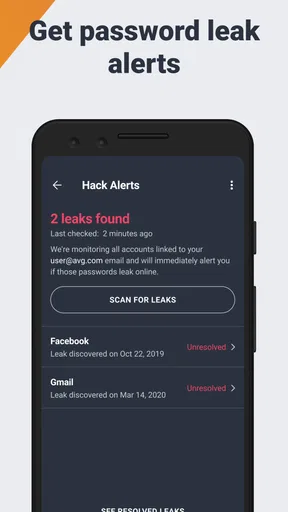
I would still treat any warning as a prompt to investigate, not as proof that every part of a phone is protected. Security apps can help make risks more visible, but they cannot make a careless tap safe or guarantee that a stolen password is harmless. I recommend combining AVG with a screen lock, sensible account security and a pause before opening unexpected messages or attachments.
AVG Mobile is the developer behind this free tools app. It has a 4.6 average from around 7.9 million ratings, and has been installed over 100 million times. Those figures show that it is widely used, but popularity alone would not decide the matter for me; the more useful question is whether its features suit the way you use your phone.
First Impressions and Setup
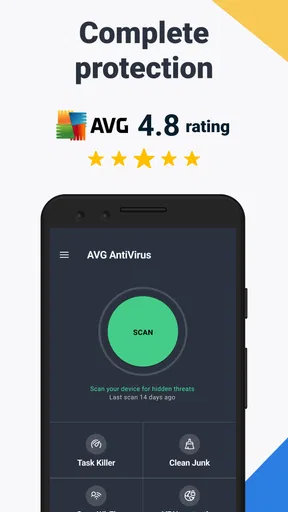
Getting started with AVG AntiVirus & Security was surprisingly straightforward. The app is available for both Android and iOS, and installing it was as easy as pie. Once downloaded, the app immediately started scanning my device for any lurking threats. The interface is clean and pretty intuitive, which is a big plus if you’re not the most tech-savvy person. It’s clear they've put some thought into making this user-friendly.
Features That Stand Out
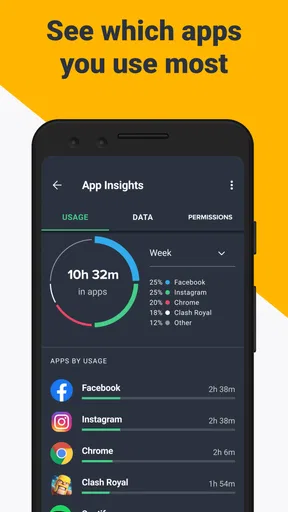
One of the first things that caught my eye was the sheer variety of features available. It’s not just about virus protection. AVG offers a comprehensive suite of tools designed to keep your device in tip-top shape.
- Real-Time Security Updates: This feature ensures that your device is always protected against the latest threats. The app automatically updates its virus definitions, so you don’t have to worry about doing it manually.
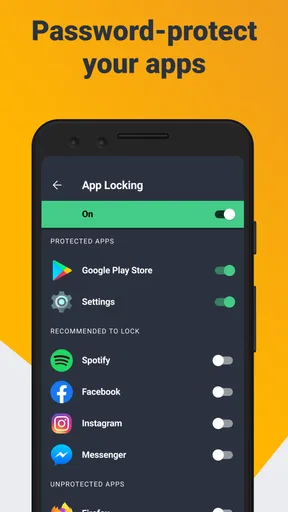
- App Lock: This is a nifty little feature that lets you lock specific apps with a PIN or fingerprint. Perfect for keeping prying eyes away from your private chats or banking apps.
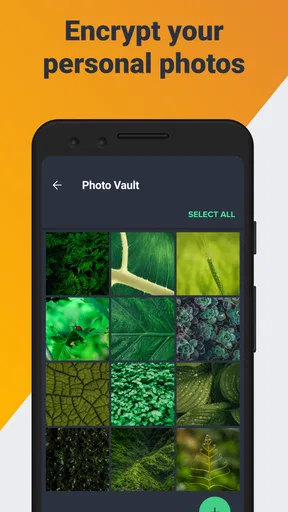
- Photo Vault: You can store your photos securely in an encrypted vault, giving you peace of mind that your private photos stay private.
- Wi-Fi Security: AVG checks the security of the Wi-Fi networks you connect to, protecting you from potentially unsafe connections.
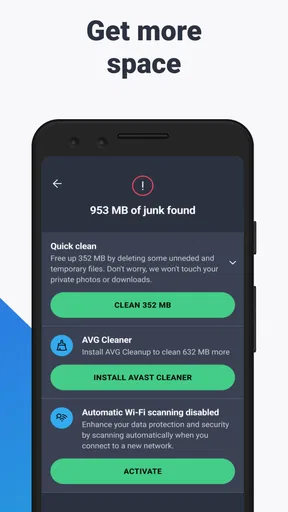
- Performance Enhancements: The app also includes tools like a junk cleaner and battery saver, which can help improve your phone’s performance.
It’s like a Swiss army knife for phone security!
Worth Reading Before You Choose

Baby Panda World Brings Quick Play to Modern Phones, but Its Game Library Feels Busy

ESPN’s Live Game View Makes Following Close Games Easier

QuizzLand Review: A Good Fit for Short Trivia Breaks, Not Every Player

Basketball Stars: Multiplayer Is Fast, but Can It Recover When Matches Go Wrong?

WEBTOON Turns Phone Updates Into a Better Reading Routine

Link to Windows Runs on Shared Habits, Not Social Feeds
Putting the tools to work
The best way to judge a bundle like this is to connect each feature to a real routine. If I were handing my phone to a friend to show them a photo, I’d use the vault for pictures I genuinely want kept separate, rather than treating it as a replacement for a secure backup. A vault can add a useful privacy layer on the device, but I would not assume that it also protects against losing or damaging the phone.
App Lock is a different kind of safeguard. It can help when someone borrows your phone to make a call or look at a map, because locking a few sensitive apps is less disruptive than trying to hide everything. I’d choose only the apps that contain information I actually want to restrict; locking too many can turn an ordinary handoff into repeated PIN entry and make the phone annoying to use.
For a day-to-day example, imagine joining a café’s public Wi-Fi while waiting for a meeting. A network check can be a helpful nudge to think twice before using that connection for something sensitive. I’d still avoid entering important account details on a network that raises concern and would switch to a connection I trust. The useful part is not a promise that every network is safe, but having a reason to pause before carrying on as usual.
For a first scan, I’d run it when I have a moment to review the result rather than tapping through alerts while rushing out the door. That gives me time to distinguish an actionable warning from a general recommendation. A sensible habit is to revisit the app after installing unfamiliar software or changing how you use the phone, instead of treating a single scan as a permanent all-clear.
Performance and Usability
Now, let’s talk about how it actually performs. While running in the background, AVG AntiVirus & Security didn’t seem to slow down my phone, which is a crucial point. I’ve used other security apps that hogged so much memory, my phone felt like it was wading through molasses. Thankfully, AVG isn’t one of them.
The app also scores high on usability. Navigating through menus is a breeze, and even the more advanced features are explained in simple terms. For someone who might not be super tech-savvy, this is a game-changer. Plus, if you ever get stuck, there’s a handy help section that guides you through the most common issues.
Where the all-in-one approach has limits
Putting security, privacy and cleanup utilities together is convenient, but it can also make it harder to tell which parts you actually need. If your main concern is protecting a handful of photos, a dedicated photo-storage workflow may be simpler. If you only want a basic scan, your phone’s built-in safety settings may already cover the everyday steps you are comfortable taking. I see AVG as most compelling when you will use several of its tools, not just install it and ignore the rest.
Cleanup and battery-saving options deserve a measured approach too. I would use them only when I understand what the app proposes to remove or change, rather than assuming that every suggested cleanup will make a phone meaningfully faster. Clearing files can be useful when storage is tight, but deleting something without checking can create its own inconvenience. Security software is not a magic performance fix, and a slow phone can have causes that a cleaner cannot address.
Compared with the usual alternatives, AVG’s strength is breadth and approachability: it combines protective checks with App Lock and Photo Vault, whereas a built-in security feature or a single-purpose utility may feel lighter if you only need one job done. The trade-off is that a broader suite asks you to decide which tools belong in your routine. I would choose a simpler option if I wanted minimal prompts and no interest in extra privacy or cleanup features.
Privacy Concerns
In the age of data breaches, understanding how an app handles your data is super important. AVG states that they follow strict privacy policies, and they don't sell your data to third parties. This is reassuring, but it’s always a good idea to read through their privacy policy to ensure you’re comfortable with their practices.
I’d also make privacy review part of setup rather than something to postpone indefinitely. Look at the choices the app presents, consider which tools you plan to use and avoid enabling extras just because they are offered. That approach is useful with any security suite: the point is to gain safeguards that suit you, not to grant or activate every option without thinking about it.
Subscription Options
While AVG AntiVirus & Security does offer a free version, which is pretty robust on its own, there are also premium options available. The paid version unlocks additional features like advanced app locking, deeper scans, and more. If you’re serious about security, the premium version might be worth the investment.
The subscription is reasonably priced, and they often offer deals and discounts, so keep an eye out for those.
The app is free to start, with in-app purchases ranging from $0.99 to $119.99 per item. I’d use the free experience first and decide based on a specific feature I genuinely want, rather than upgrading because the word “premium” sounds automatically safer. Before buying, check what the particular offer includes and whether it solves a problem you actually have; the range makes it especially important not to assume every purchase has the same scope.
For everyday use, I’d expect the free option to make the most sense for someone who wants to try the core experience before spending anything. If you are considering a paid feature, ask yourself whether you will use it regularly and whether a built-in setting already meets the same need. This simple test helps keep a security purchase practical instead of turning a long menu of options into pressure to buy.
Who I’d recommend it to
I’d point a less technical phone owner toward AVG if they want one approachable place to explore scanning, app privacy and photo protection. It may also suit someone who lends a phone to family members and wants a straightforward way to put an extra barrier around selected apps. The app is rated for Everyone, and the current version is 25.22.0, with Android 9 listed as the minimum operating-system requirement.
I would be less enthusiastic about recommending it to someone who dislikes security prompts, wants the lightest possible setup or only needs a single narrow function. In those cases, using the phone’s own settings or choosing one focused utility may take less effort. iPhone owners should also judge the tools they can actually use on their device rather than assuming every feature works identically across platforms; the right choice depends on the options presented on their own phone.
Final Thoughts
Overall, I’d say AVG AntiVirus & Security is a solid choice for anyone looking to beef up their smartphone’s security. With its wide array of features, ease of use, and reliable performance, it's definitely a contender in the mobile security arena. Whether you're a tech novice or a seasoned pro, this app has got something for everyone.
So, if you’re ready to give your phone the protection it deserves, why not give AVG AntiVirus & Security a try? You might just find it’s the perfect fit for your digital life.
Pros
- Comprehensive virus protection.
- User-friendly interface.
- Real-time security updates.
- Privacy protection features.
- Performance optimization tools.
Cons
- Contains in-app advertisements.
- Some features require premium.
- Occasional false positives.
- Can drain battery quickly.
- Requires constant internet connection.
FAQs for AVG AntiVirus & Security
What features does AVG AntiVirus & Security offer?
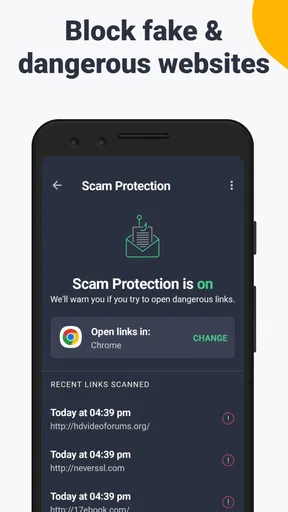
AVG AntiVirus & Security provides comprehensive protection for your device, including real-time threat detection, malware removal, and web protection. It also offers additional features like app lock, Wi-Fi security, photo vault, and performance enhancement tools to ensure your device runs smoothly and securely.
Is AVG AntiVirus & Security free to use?
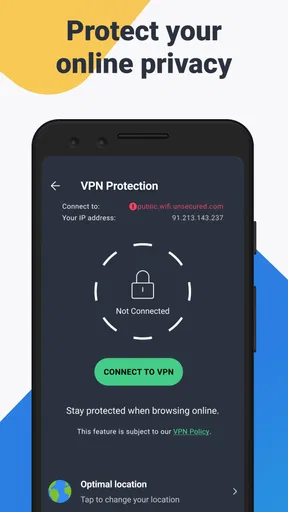
Yes, AVG AntiVirus & Security is available as a free app with basic protection features. However, for advanced security options like VPN access, app lock, and enhanced anti-theft tools, you can upgrade to the premium version through in-app purchases.
How does AVG AntiVirus & Security affect device performance?
While AVG AntiVirus & Security is designed to run efficiently in the background, some users may experience slight performance impacts depending on their device's specifications. The app includes performance enhancement tools to help optimize your device's speed and functionality, balancing security with smooth operation.
What kind of threats does AVG AntiVirus & Security protect against?
AVG AntiVirus & Security guards against a wide range of threats, including viruses, malware, spyware, ransomware, and phishing attacks. It uses advanced algorithms to detect and neutralize threats in real-time, ensuring your personal data and online activities remain secure.
Is AVG AntiVirus & Security easy to use for beginners?
Yes, AVG AntiVirus & Security is designed with user-friendliness in mind. Its intuitive interface makes it easy for beginners to navigate and utilize its features effectively. The app provides clear instructions and helpful tips, making it accessible for users of all experience levels.


